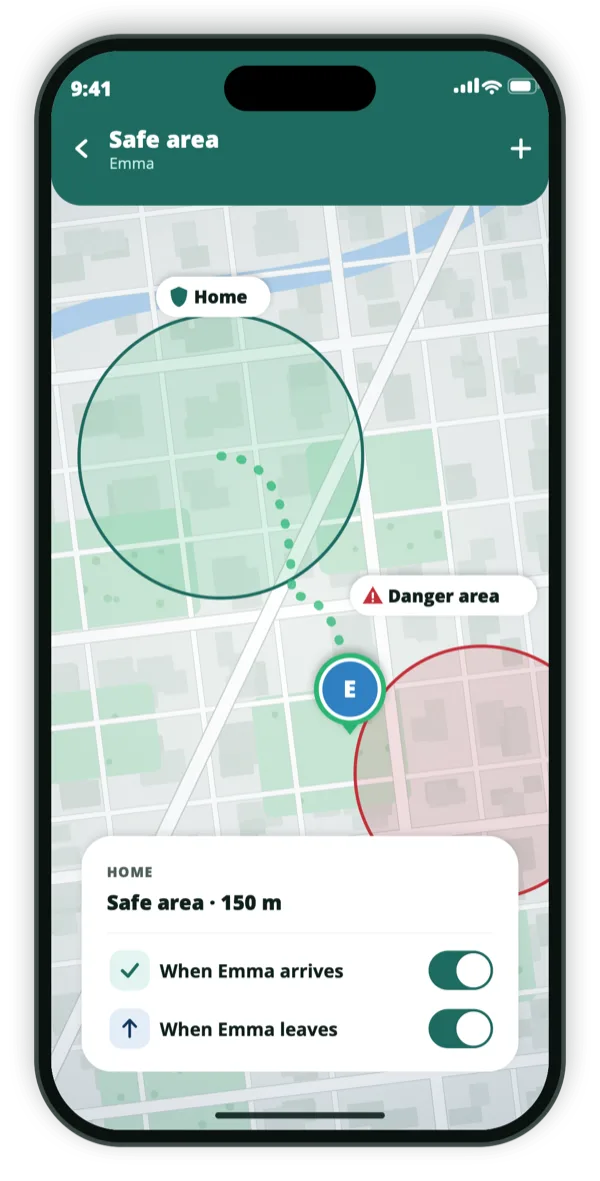
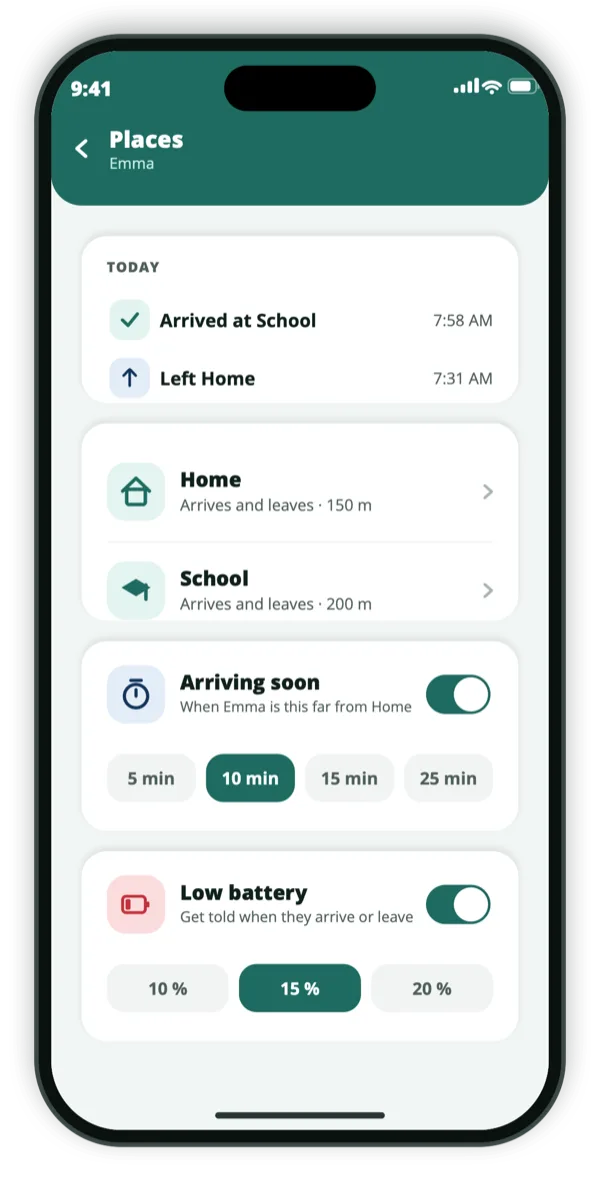
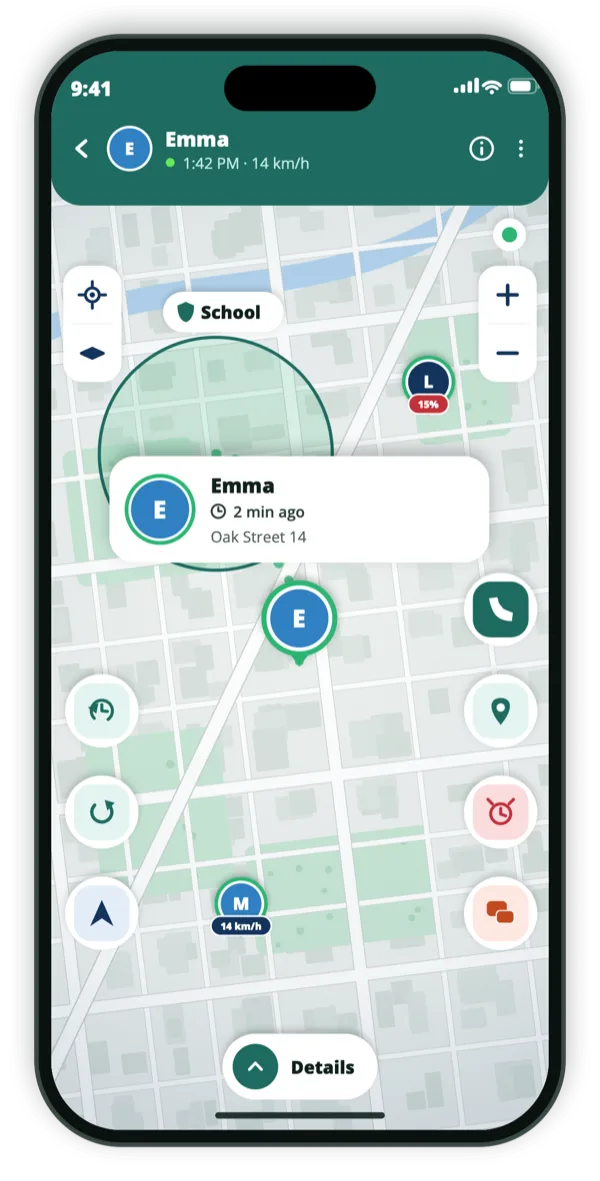
A geofence is just an area you care about. Draw one anywhere on the map, give it a name, and Be Close tells you the moment a family member enters or leaves it.
Free with ads · new customers: a week for $0.99
or 3 months for $9.49
· see plans
Emma · 14 km/hOak Street 14 · 2 min ago
Consent‑first. Nobody is on your map without sharing their own code.iPhone & Android. One circle across both.15 languages.
In the app
What it looks like on the phone.
Draw an area, name itSaved places, both waysAreas on the live map
Places with names, and places without
Some locations are worth saving properly: Home, School, Work. Be Close keeps those as places and tells you both when someone arrives and when they leave, which together answer most of the questions a household actually has.
Everything else is a circle you draw. The park at the end of the road, the block around a friend’s house, the perimeter of a campsite. Put it where you want it, drag it to adjust, pinch to change the radius, and name it so the alert reads like a sentence rather than a coordinate.
Saved places with arrival and departure alerts
Free-drawn geofences anywhere on the map
Drag to move, pinch to set the radius
Named, so alerts say where rather than what latitude
Why the radius matters more than people expect
A geofence that is too small fires constantly as a phone’s position jitters between readings, particularly indoors or among tall buildings. One that is too large tells you someone arrived while they are still three streets away. The useful size depends on the place: a house needs a tighter circle than a school campus.
Because you draw the circle rather than accepting a default, you can tune it to the place. If alerts are firing too often, widen it slightly; if they arrive late, tighten it.
You choose the radius, not a fixed default
Larger circles for campuses and parks, tighter for a house
Alerts name the area and the direction of travel
Events are kept briefly, then deleted
Geofencing runs on the phone, quietly
Area monitoring is handled by the operating system on each person’s own device, which is why it keeps working when the app is closed and why it does not need the map open to fire. Be Close is told that a boundary was crossed and passes that on to the people who should know.
Setting up zones is fiddly on a small screen, which is honest to admit: pinching a circle to exactly the right size with a thumb takes patience. Draw them once carefully and they then look after themselves.
Works with the app closed, once permission is granted
No need to keep the map open
Each person’s own phone detects its own crossings
Alerts reach the people in that circle only
How we think about this
Everyone on the map agreed to be there.
Be Close is built for families and trusted friends, and it only works with consent. There is no
hidden mode, and no way to add someone who has not agreed.
They install it themselvesA person’s location appears only after they install the app and share their own code with you.
They can always see it’s onAnyone sharing can see that sharing is on — and stop it, at any moment, without asking.
Never sold, never advertised againstLocation data is not sold and is not used for ad targeting.
Questions
The things people ask first.
What is a geofence?
A virtual boundary around a real place. When a phone crosses it, the app notices and can send an alert. In Be Close you draw one as a circle on the map and give it a name.
How many safe areas can I create?
As many as you need. They can overlap, and you can keep separate areas for different members of the family.
Why do I sometimes get a late alert?
Boundary crossings are detected by the phone’s operating system, which trades immediacy for battery life. A slightly larger radius usually produces more timely alerts.
Does everyone see my safe areas?
Areas and their alerts belong to your circle. People outside it see nothing, and nobody appears on your map without sharing their own code.
Get the app
Draw your first safe area tonight.
Free to download. Save a place, draw a circle around it, and the alerts start arriving with nothing else to configure.